
What this page shows
EveryRink team texts (described on our text messages page) go only to people who gave us their number and said yes when we asked, usually out loud on a phone call with a member of our team. Because that yes is spoken, there is no web form to point to. This page shows the screens our team uses to record it, in the order they happen: the script, the record of the yes, the first text, the block that stops a text until the record exists, and how STOP and HELP work.
Every screenshot is of our real back office with made-up test data: a pretend rink (“Test Rink”), a pretend person (“Test Person”), phone numbers in the fictional 555-01xx range and a team member called “Sam Tester”. No real rink, person or phone number appears on this page.
1. The script
At the end of a call, the team member asks the person who answered:
“Would you mind if we texted you at this number? Just the odd note from us, nothing automated, and you can reply STOP any time.”
The words are on the call screen, so every team member asks the same thing. Saying no, or not being asked, means no texts. Agreeing to texts is never a condition of anything: a listing on EveryRink is free and stays the same either way.
2. Where the yes is recorded
Only if the person says yes, the team member opens the “Last ask · texts” step of the call screen and records it. They type the person’s name and the mobile number the person said we may text. The button Yes, OK to text stays unavailable until both are filled in and the number is a valid US or Canadian phone number.
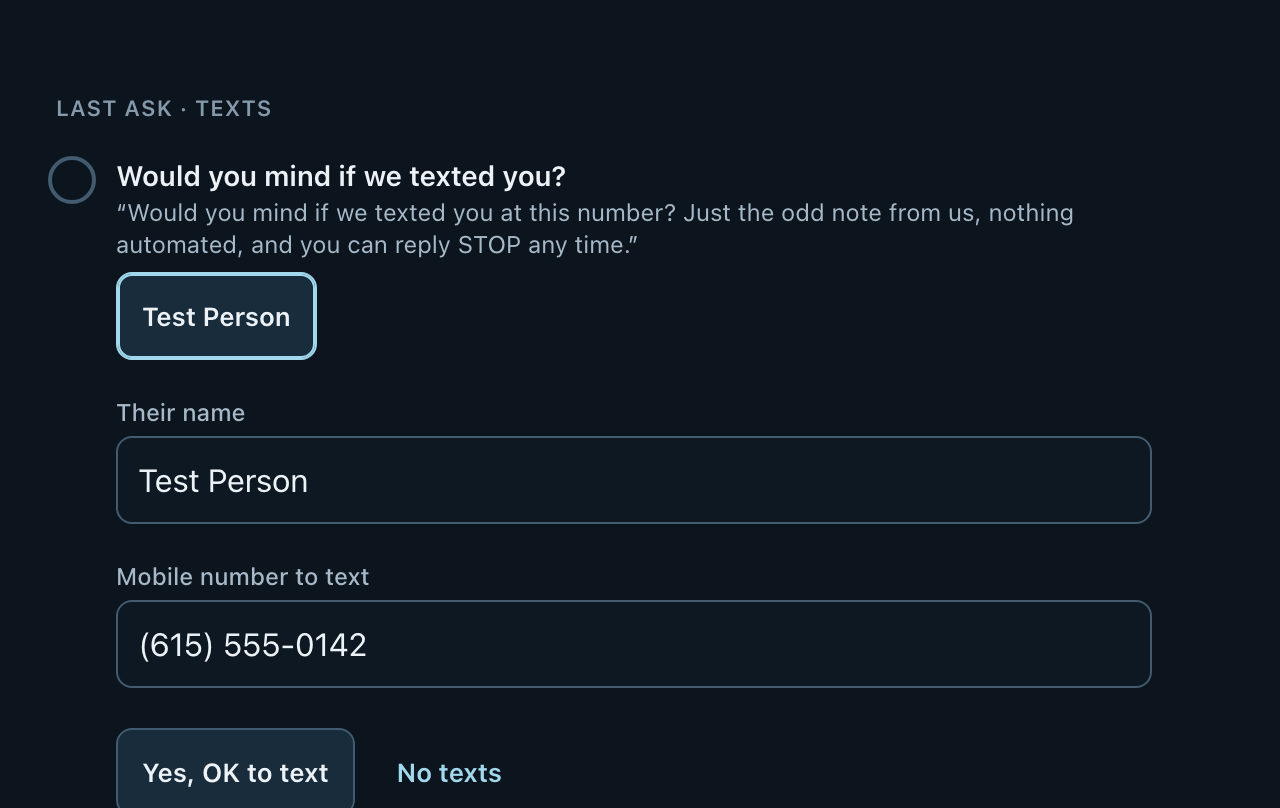
Saving keeps, for good and per number: the person’s name, the mobile number, the date and time, the team member (taken from their sign-in, not typed) and the exact words asked, with the call it was asked on when there is one. A “No texts” answer is kept the same way. Saving sends nothing: it opens the conversation in Messages.
3. The first text
There is no automated confirmation message. Once the yes is recorded, the first text the person gets is the one our team member writes and sends, one at a time, signed with their first name. That first text names EveryRink and ends “Reply STOP to opt out.” If the words typed do not name EveryRink, our system puts “EveryRink:” in front, and it always adds the STOP line at the end. Later texts are signed the same way.
4. No record, no text
Our system will not send a text to a number unless the record of a yes is there and has not been withdrawn. The sending box is stopped on the screen, and the server refuses the text too, whatever the screen says. A number we have never asked, a person who said no, and a number that has texted STOP all stay blocked.
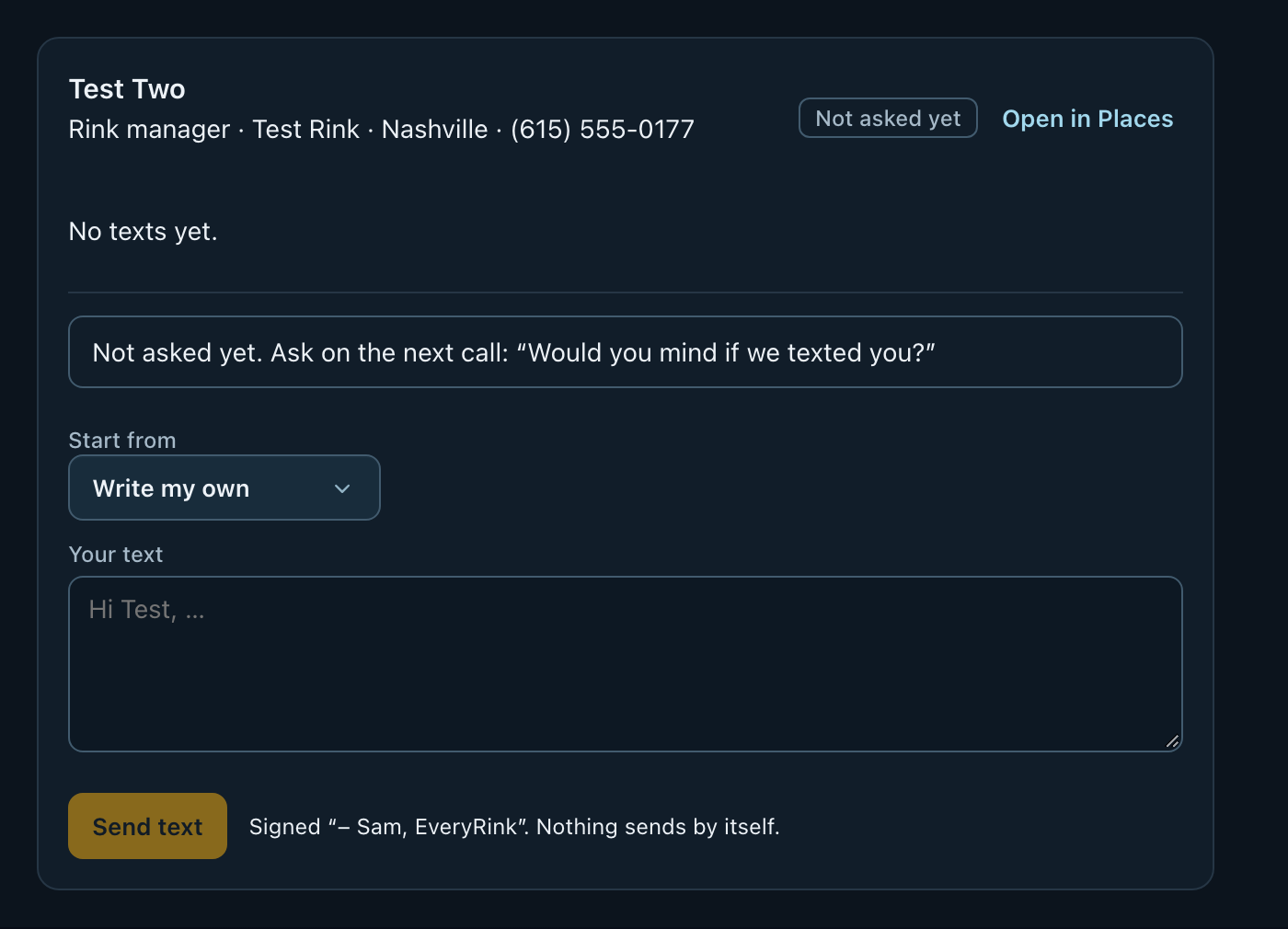
Other limits hold as well: no more than 3 texts a day to one person (more only when we are answering a text they sent), and only between 9 am and 6 pm in the person’s local time, unless we are answering a text they just sent.
5. STOP and HELP
Replying STOP ends texts to that number at once: the record changes to “Texted STOP”, the sending box is stopped, and it stays that way until the person texts START or says yes again on a call. STOPALL, UNSUBSCRIBE, CANCEL, END, QUIT, OPTOUT, REVOKE work the same as STOP. Texting START, UNSTOP starts texts again for someone who had said yes on a call.
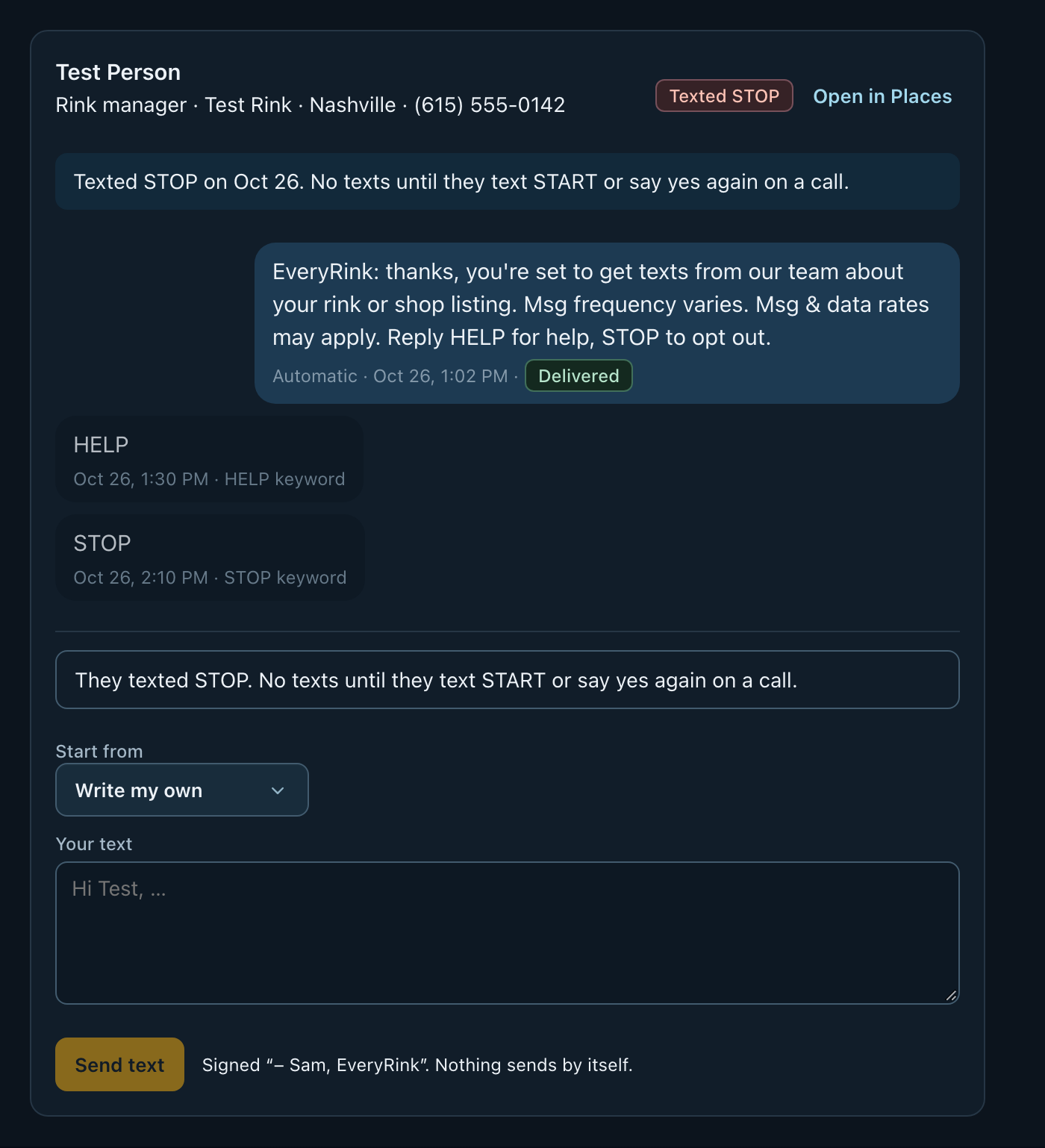
Replying HELP (or INFO) gets this answer:
EveryRink: notes from our team about your rink or shop listing. Questions? Call 1-833-853-7465 or visit everyrink.com/support. Reply STOP to opt out. Msg & data rates may apply.
Replying START (after a STOP) gets this one:
EveryRink: you can get texts from our team again. Reply STOP to opt out. Msg & data rates may apply.
Your number and your privacy
We do not sell, rent or share mobile phone numbers or text-message opt-in data with third parties or affiliates for marketing or promotional purposes.
The program’s terms, the sample messages and how often we text are on everyrink.com/text-messages. Our privacy policy and terms of use cover the rest. Questions, or to stop texts by phone or email: 1-833-853-7465 (toll-free) or hello@everyrink.com.